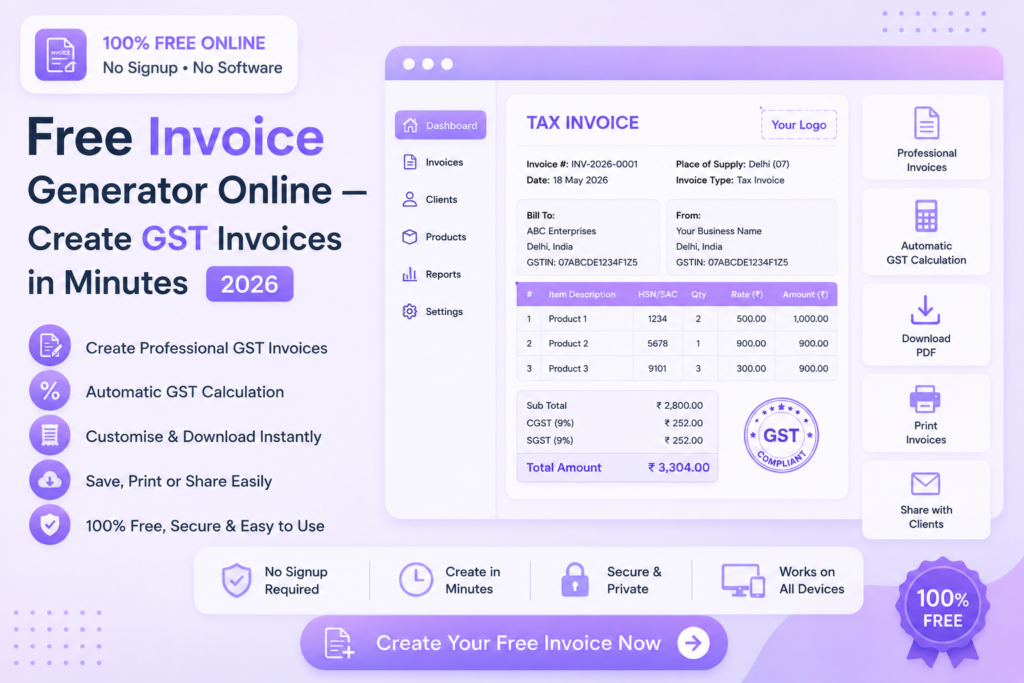
Free Invoice Generator Online — Create GST Invoices in Minutes 2026
Generate professional GST invoices instantly — no software, no signup, no payment required. Download as PDF in seconds.
🧾 Create Invoice Free — Try Now
📋 In This Guide
What is an Online Invoice Generator?
An online invoice generator is a free web tool that lets you create professional invoices without any accounting software or design skills. You fill in your business details, client information and line items — and the tool generates a clean, formatted invoice ready to download or share.
For freelancers, small businesses and consultants, creating invoices manually in Word or Excel is time-consuming and error-prone. An online invoice generator handles all the formatting, calculations and GST computations automatically.
✅ MySmartWork’s free invoice generator online creates professional GST-compliant invoices with automatic tax calculations — download as PDF instantly, no signup required.
How to Create a Free Invoice Online — Step by Step
Creating a professional invoice on MySmartWork takes just a few minutes:
Enter your business details
Add your business name, address, GSTIN number and contact details. These appear in the invoice header.
Add client information
Enter your client’s name, address and GSTIN. Add the invoice number, date and due date for proper record-keeping.
Add line items and GST
Enter your products or services, quantities, rates and applicable GST slab (5%, 12%, 18% or 28%). All totals calculate automatically.
Download your PDF invoice
Click “Generate Invoice” and download your professional PDF invoice instantly — ready to send to your client.
GST Invoice Requirements in India
A valid GST invoice in India must include specific details as per GST regulations. Here are the mandatory fields:
- Supplier’s name, address and GSTIN
- Invoice number and date — unique sequential number for each invoice
- Recipient’s name, address and GSTIN (for B2B transactions)
- HSN/SAC code — for goods and services respectively
- Description of goods or services
- Quantity and unit of measure
- Total taxable value
- GST rate and amount — CGST, SGST or IGST as applicable
- Total invoice amount — including taxes
⚠️ Note: Businesses registered under GST must issue a GST-compliant invoice for every supply of goods or services. MySmartWork’s invoice generator includes all mandatory fields automatically.
Free vs Paid Tools — What’s the Difference?
| Feature | MySmartWork (Free) | Paid Tools |
|---|---|---|
| Cost | ✅ Completely Free | ❌ Monthly subscription |
| Signup Required | ✅ No | ❌ Yes |
| GST Calculation | ✅ Automatic | ✅ Automatic |
| PDF Download | ✅ Yes | ✅ Yes |
| Invoice Storage | ⚠️ Download only | ✅ Cloud storage |
| Multiple Templates | ✅ Yes | ✅ More options |
Who Should Use an Invoice Generator?
👨💻 Freelancers
Designers, developers, writers and consultants who work independently need to send professional invoices to clients. A free invoice generator creates polished invoices in minutes without any accounting knowledge.
🏪 Small Business Owners
Shop owners, service providers and traders who need to issue GST invoices to customers can use the tool to generate compliant invoices quickly without expensive accounting software.
🚚 Vendors and Suppliers
Vendors supplying goods to businesses need to provide proper GST invoices for their clients to claim input tax credit. This tool ensures all mandatory fields are included correctly.
🧑⚕️ Professionals and Consultants
Doctors, lawyers, chartered accountants and other professionals who provide services need to issue invoices with the correct SAC codes and GST rates for their services.
Frequently Asked Questions
Is the invoice generator really free?
Yes, MySmartWork’s free invoice generator online is completely free — no hidden charges, no subscription, no signup required.
Is the invoice GST compliant?
Yes, the invoice includes all mandatory fields required under GST regulations — GSTIN, HSN/SAC codes, tax breakdowns and totals.
Can I add my company logo?
Yes, you can upload your company logo to appear on the invoice for a professional branded appearance.
Can I create invoices without a GSTIN?
Yes, businesses that are not registered under GST can also create invoices without a GSTIN — simply leave the GST fields blank.
Does it work on mobile?
Yes, the tool is fully mobile-friendly and works in any browser on Android and iPhone devices.
Can I save and reuse my invoice details?
Currently invoices are generated and downloaded as PDF. For repeated use, keep a copy of your details to fill in quickly each time.
🧾 Create Your Free Invoice — Right Now
No signup. No software. No payment. Fill in your details and download your professional PDF invoice instantly.
Open Invoice Generator →