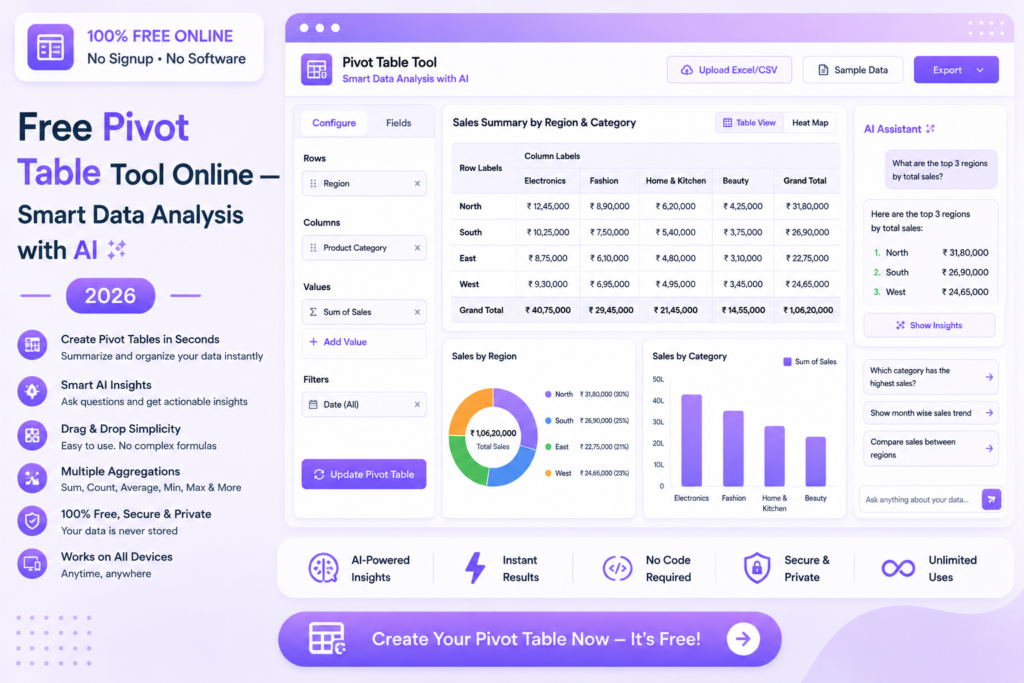
Free Pivot Table Tool Online — Smart Data Analysis with AI 2026
Upload your data and let AI create smart pivot tables with grouping and calculations automatically — no Excel skills needed, no signup required.
📋 Create Pivot Table Free — Try Now
📋 In This Guide
What is a Pivot Table?
A pivot table is a powerful data summarization tool that automatically groups, sorts, counts and calculates totals from large datasets. It transforms thousands of rows of raw data into a compact, meaningful summary table — without any formulas or manual calculations.
Traditionally, pivot tables required Microsoft Excel and a working knowledge of how to set them up. Our free online pivot table tool uses AI to handle all the configuration automatically — just upload your data and get your summary instantly.
✅ MySmartWork’s pivot table free online tool uses AI to automatically create smart pivot tables from your data with grouping and calculations — completely free, no signup, no Excel required.
How to Create a Pivot Table Free Online — Step by Step
Upload your data file
Open the Pivot Table tool and upload your Excel or CSV file. The tool reads your column headers and data automatically.
Select rows, columns and values
Choose which columns to use as row labels, column headers and values. Select the calculation type — sum, count, average or max.
Generate and export
Your pivot table is generated instantly. Export it as Excel or CSV for use in reports and presentations.
⚠️ Tip: For best results, ensure your data has clear column headers in the first row and no merged cells. Clean data produces the most accurate pivot tables.
Why Use a Pivot Table?
Pivot tables are one of the most powerful tools for data analysis. Here is why they are essential:
- Summarize large datasets — Condense thousands of rows into a compact summary in seconds.
- Group data automatically — Group by category, date, region or any other field without formulas.
- Calculate totals instantly — Sum, count, average and percentage calculations done automatically.
- Spot trends quickly — Compare performance across categories, time periods and groups at a glance.
- No formula knowledge needed — Get the same results as complex SUMIF and COUNTIF formulas without writing any.
- Easy to update — Refresh the pivot table when data changes without rebuilding from scratch.
Free vs Paid Tools
| Feature | MySmartWork (Free) | Paid Tools |
|---|---|---|
| Cost | ✅ Completely Free | ❌ Monthly subscription |
| Signup Required | ✅ No | ❌ Yes |
| AI Auto-configuration | ✅ Yes | ⚠️ Manual setup |
| Export Options | ✅ Excel, CSV | ✅ Multiple formats |
| Large Dataset Support | ⚠️ Standard size | ✅ Enterprise scale |
| File Privacy | ✅ Processed in browser | ⚠️ Uploaded to server |
Common Use Cases
📈 Sales Analysis
Summarize sales data by product, region, salesperson or time period. Instantly see total revenue, units sold and average order value across any dimension without complex formulas.
💰 Budget and Expense Reporting
Group expenses by category, department or month and calculate totals automatically. Create the expense summary tables needed for management reports in seconds.
👥 HR and Attendance Data
Summarize employee attendance, leave records and headcount by department, location or grade level for HR reporting and compliance.
📦 Inventory and Supply Chain
Analyze stock levels, supplier performance and order quantities by product category, warehouse or time period to identify trends and optimize procurement.
Frequently Asked Questions
Is the pivot table tool really free?
Yes, MySmartWork’s pivot table free online tool is completely free — no hidden charges, no subscription, no signup required.
Do I need Excel to use this tool?
No, the tool is completely browser-based. You do not need Microsoft Excel or any other software installed on your device.
What file formats are supported?
The tool supports Excel files (.xlsx, .xls) and CSV files (.csv) for pivot table creation.
Can I export the pivot table?
Yes, the generated pivot table can be exported as Excel or CSV for use in reports, presentations and further analysis.
Is my data safe?
Yes. Your file is processed within your browser and is never uploaded to any external server. Your data stays completely private.
Does it work on mobile?
Yes, the tool is fully mobile-friendly and works in any browser on Android and iPhone devices.
📋 Create Your Pivot Table Free — Right Now
No signup. No software. No Excel needed. Upload your data and get your pivot table instantly.
Open Pivot Table Tool →