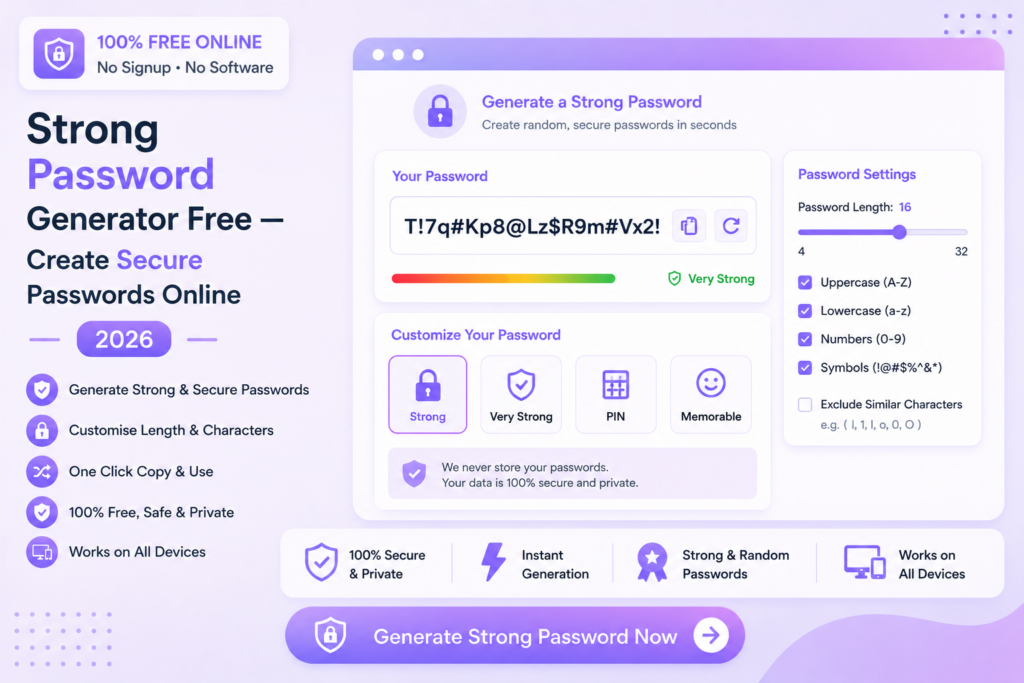
Strong Password Generator Free — Create Secure Passwords Online 2026
Generate ultra-secure, random passwords instantly — customize length and character types. No signup, no payment required.
🔐 Generate Strong Password — Free
📋 In This Guide
What is a Password Generator?
A password generator is an online tool that creates random, secure passwords using a combination of letters, numbers and special characters. Instead of thinking up passwords yourself — which people tend to make predictable — a generator creates truly random combinations that are extremely difficult to crack.
Weak passwords are one of the leading causes of account breaches and data theft. Using a strong password generator free tool ensures every account you create has a unique, highly secure password.
✅ MySmartWork’s strong password generator free creates highly secure random passwords with customizable length and character sets — completely free, no signup, instant generation.
How to Generate a Strong Password Free — Step by Step
Generating a secure password on MySmartWork takes just seconds:
Set your password length
Choose how long you want the password to be. A minimum of 12 characters is recommended for strong security.
Select character types
Choose which character types to include — uppercase letters, lowercase letters, numbers and special symbols.
Generate and copy
Click “Generate Password” and your secure random password appears instantly. Copy it and use it for your account.
⚠️ Tip: Always store generated passwords in a trusted password manager — never save them in plain text files or browsers on shared devices.
What Makes a Password Strong?
Not all passwords are equally secure. Here is what separates a weak password from a strong one:
| Password Type | Example | Security Level |
|---|---|---|
| Common word | password123 | ❌ Very Weak |
| Name + birth year | rahul1990 | ❌ Weak |
| Mixed letters + numbers | Rahul@2024 | ⚠️ Moderate |
| Random 12 characters | mK9#pL2@qR5! | ✅ Strong |
| Random 16+ characters | xQ7#mP2@kL9!nR4$ | ✅ Very Strong |
A strong password should be at least 12 characters long and include a mix of uppercase letters, lowercase letters, numbers and special symbols — and should never contain personal information like names, birthdays or common words.
Free vs Paid Tools — What’s the Difference?
| Feature | MySmartWork (Free) | Paid Tools |
|---|---|---|
| Cost | ✅ Completely Free | ❌ Monthly subscription |
| Signup Required | ✅ No | ❌ Yes |
| Password Generation | ✅ Instant | ✅ Instant |
| Bulk Generation | ✅ Yes | ✅ Yes |
| Password Storage | ❌ Not available | ✅ Encrypted vault |
| Auto-fill | ❌ Not available | ✅ Browser extension |
Password Security Best Practices
🔐 Use a Different Password for Every Account
Never reuse the same password across multiple accounts. If one account is compromised, all others with the same password become vulnerable immediately.
📦 Store Passwords in a Password Manager
A password manager stores all your passwords in an encrypted vault. You only need to remember one master password — the manager handles the rest securely.
🔄 Change Passwords Regularly
Update passwords for important accounts — banking, email, work accounts — every 3 to 6 months or immediately after any suspected breach.
🚫 Never Share Passwords
Never share passwords over email, WhatsApp or any messaging platform. If you need to share access temporarily, use a secure sharing method and change the password afterward.
📱 Enable Two-Factor Authentication
A strong password alone is good — but combining it with two-factor authentication (2FA) makes your accounts significantly more secure against unauthorized access.
Frequently Asked Questions
Is the password generator really free?
Yes, MySmartWork’s strong password generator free tool is completely free — no hidden charges, no subscription, no signup required.
Are the generated passwords stored anywhere?
No. Passwords are generated entirely within your browser and are never stored or transmitted to any server. Your passwords remain completely private.
How long should my password be?
A minimum of 12 characters is recommended for strong security. For highly sensitive accounts like banking or work email, use 16 or more characters.
Can I generate multiple passwords at once?
Yes, the tool supports bulk password generation — useful for creating multiple unique passwords for different accounts at once.
Does it work on mobile?
Yes, the tool is fully mobile-friendly and works in any browser on Android and iPhone devices.
What characters are included in generated passwords?
You can choose to include uppercase letters (A-Z), lowercase letters (a-z), numbers (0-9) and special symbols (!@#$%^&*) — fully customizable based on your requirements.
🔐 Generate a Strong Password — Free, Right Now
No signup. No software. No payment. Create a secure random password instantly.
Open Password Generator →