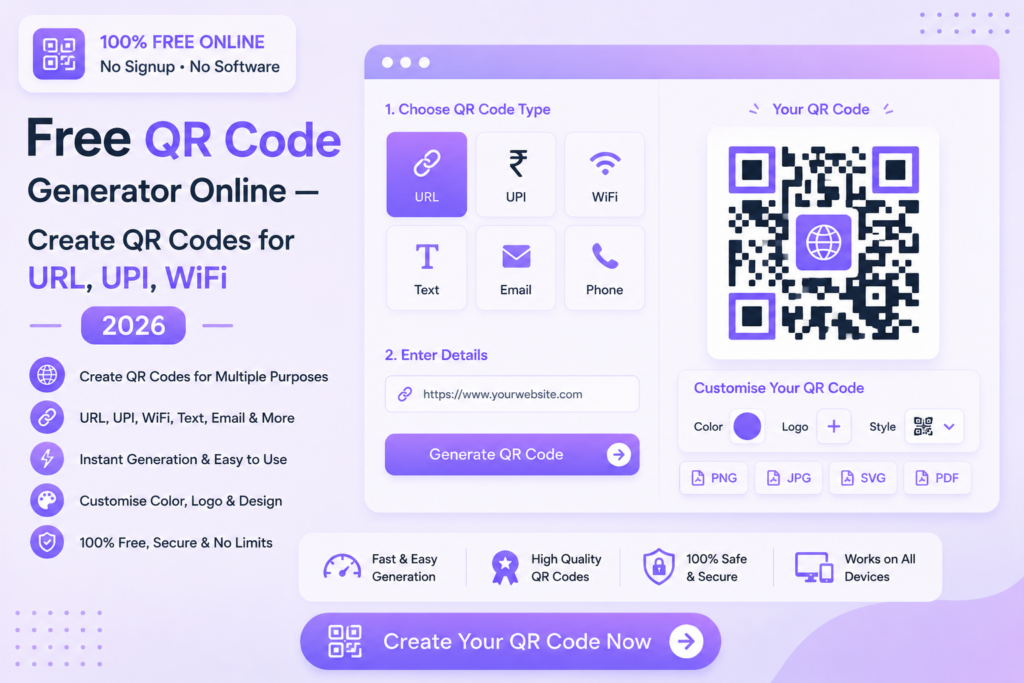
Free QR Code Generator Online — Create QR Codes for URL, UPI, WiFi 2026
Generate custom QR codes for any purpose instantly — URLs, UPI payments, WiFi, contacts and more. No signup, no payment required.
⬛ Generate QR Code Free — Try Now
📋 In This Guide
What is a QR Code Generator?
A QR code generator is an online tool that creates QR codes from any type of data — website URLs, contact details, payment information, WiFi credentials and more. When scanned with a smartphone camera, the QR code instantly opens the linked content without any manual typing.
QR codes have become essential for businesses, professionals and individuals alike — from sharing payment details to promoting websites, they offer the fastest way to transfer information to anyone with a smartphone.
✅ MySmartWork’s free QR code generator online creates high-resolution QR codes for multiple use cases — download as PNG instantly, no signup required, completely free.
How to Create a QR Code Free Online — Step by Step
Creating a QR code on MySmartWork takes just seconds:
Select QR code type
Choose what type of QR code you want to create — URL, UPI payment, WiFi, contact, text or email.
Enter your information
Fill in the required details — website URL, UPI ID, WiFi password or contact information depending on the type selected.
Generate and download
Click “Generate QR Code” and your high-resolution QR code is ready. Download it as a PNG image for use anywhere.
Types of QR Codes You Can Create
Our free QR code generator online supports multiple QR code types for different needs:
Website URL
Link directly to any website or web page
UPI Payment
Accept instant payments via UPI apps
WiFi
Share WiFi credentials without typing
Contact Card
Share your contact details instantly
Pre-fill email address and subject
Plain Text
Encode any text message or information
Free vs Paid Tools — What’s the Difference?
| Feature | MySmartWork (Free) | Paid Tools |
|---|---|---|
| Cost | ✅ Completely Free | ❌ Monthly subscription |
| Signup Required | ✅ No | ❌ Yes |
| Download Quality | ✅ High resolution PNG | ✅ PNG, SVG, PDF |
| QR Code Types | ✅ URL, UPI, WiFi, Contact | ✅ More types |
| Scan Tracking | ❌ Not available | ✅ Available on paid plans |
| Custom Branding | ⚠️ Basic | ✅ Logo, colors, shapes |
Common Use Cases
💳 UPI Payment QR Codes
Small businesses, shops and vendors can create UPI payment QR codes to accept instant digital payments. Customers simply scan the code and pay — no need to share UPI IDs manually.
🏪 Business and Retail
Add QR codes to product packaging, menus, brochures and business cards to link customers directly to your website, social media or product pages.
📶 WiFi Sharing
Create a WiFi QR code for your home or office — guests simply scan it to connect instantly without asking for the password.
🎓 Education and Events
Teachers can create QR codes linking to study materials, assignment submissions or online resources. Event organizers use QR codes for registration and information sharing.
📇 Digital Business Cards
Create a contact QR code with your name, phone, email and designation — share it at networking events for instant contact saving without physical cards.
Frequently Asked Questions
Is the QR code generator really free?
Yes, MySmartWork’s free QR code generator online is completely free — no hidden charges, no subscription, no signup required.
Do the QR codes expire?
No, QR codes generated by MySmartWork do not expire. They work permanently as long as the linked content (like a website URL) remains active.
What format is the QR code downloaded in?
QR codes are downloaded as high-resolution PNG images — suitable for both digital use and print.
Can I create a UPI payment QR code?
Yes, simply enter your UPI ID and the tool generates a scannable UPI payment QR code that works with all major UPI apps.
Does it work on mobile?
Yes, the tool is fully mobile-friendly and works in any browser on Android and iPhone devices.
Can I print the QR code?
Yes, the high-resolution PNG download is suitable for printing on posters, menus, business cards and packaging.
⬛ Generate Your QR Code Free — Right Now
No signup. No software. No payment. Create your QR code and download it instantly.
Open QR Code Generator →